Elevate Your Etsy Shop with a Digital Paper Mockup Template
Standing out in the crowded Etsy marketplace often comes down to presentation. While the quality of your digital paper is paramount, the way you showcase it can make the difference between a scroll-past and a sale. This is where a dedicated Etsy Digital Paper Mockup Canva Template becomes an invaluable asset. It’s not just a set of pretty frames; it’s a strategic tool designed to translate the texture, color, and pattern of your digital creations into compelling, professional product previews that build trust and drive conversions.
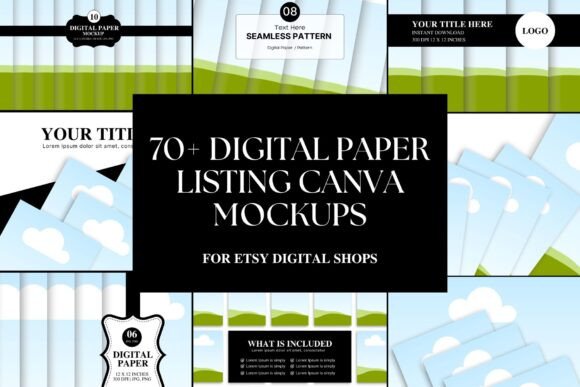
At its core, this template collection provides a library of over 70 high-resolution scenes, each sized at a generous 5000 x 4200 pixels. The visual style leans towards clean, modern, and aesthetic minimalism. Think soft, natural lighting, neutral backgrounds that don't compete with your designs, and thoughtful compositions that suggest real-world use. Whether it's a mockup of paper sheets fanned out on a marble surface, neatly stacked in a stylish office setting, or displayed in a frame, the personality is one of understated professionalism. It’s designed to let your work be the hero.
Practical Applications Beyond Etsy Listings
While the primary function is to create stunning Etsy listing images, the utility of a versatile mockup kit extends far across your digital and print projects. For brand identity work, these templates can help you visualize how your pattern designs might look on stationery, packaging, or product labels. Bloggers and content creators can use them to create engaging Pinterest pins or Instagram graphics that showcase their downloadable freebies or paid products in a lifestyle context, significantly boosting click-through rates.
The formats included—portrait, landscape, and square—cover the essential aspect ratios for social media, website banners, and print catalogs. This consistency is key to building a recognizable visual hierarchy across all your marketing channels. When a potential customer sees the same high-quality presentation style on your Etsy shop, your Instagram feed, and your blog, it reinforces your brand perception as serious, detail-oriented, and professional. It’s a subtle yet powerful form of design asset management that fosters audience recognition.
Integrating Mockups into Your Design Workflow
The true value of this Canva template lies in its accessibility and seamless integration. Because it operates entirely within Canva's free version, it removes the barrier of expensive software or complex skills. The drag-and-drop functionality means you can focus on the creative act of pairing your designs with the right scene, rather than fighting with technical hurdles. This efficiency is a game-changer for busy Etsy shop owners and small business entrepreneurs who need to produce high-volume, high-quality marketing materials quickly.
When choosing which mockups to use, consider the mood you want to evoke. A mockup featuring rustic wood and twine communicates a different brand identity than one set in a sleek, contemporary home office. Align the scene with your target audience's aesthetic. For commercial font or graphic design sellers, a mockup that feels like a creative studio might resonate best. The key is to use these templates to tell a mini-story about how your digital paper can be used, which directly influences audience engagement.
Maintaining Consistency and Professionalism
One of the biggest challenges for sellers is maintaining a cohesive look across dozens, or even hundreds, of listings. A standardized mockup kit solves this by providing a consistent frame for your products. This consistency is a cornerstone of professional editorial design and packaging design principles. It ensures your shop looks curated and intentional, which builds immense trust with shoppers who are comparing multiple similar products.
From a practical standpoint, always ensure your uploaded design file is high-resolution to match the mockup's 5000px canvas, preventing any pixelation. Pay attention to the mockup's lighting and shadow—your design should integrate naturally. Test different mockups from the set to see which best showcases the specific qualities of a particular paper, whether it's a bold geometric pattern or a subtle watercolor wash. This thoughtful selection process is what separates a good listing from a great one, ultimately enhancing readability of the product's value and solidifying your shop's reputation for quality.