Crafting a Heartfelt Tribute with Canva
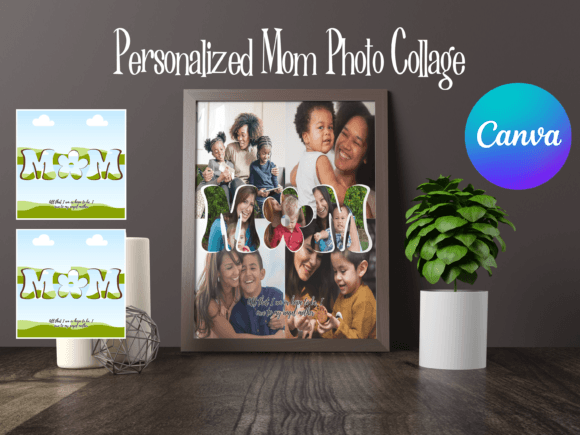
There is a specific kind of warmth that radiates from a well-curated photo collection. It isn't just about the images themselves, but how they are arranged and presented. For those looking to celebrate a mother's influence, the Canva Personalized Mom Photo Collage stands out as more than just a template—it is a framework for storytelling. In a digital age where we often scroll past memories, this tool invites us to pause, arrange, and reflect. It offers a blend of creative freedom and structural guidance, allowing you to turn a folder of digital snapshots into a cohesive, visual narrative that honors the complexities of motherhood.
The Anatomy of a Bespoke Masterpiece
When you first open a project like this in Canva, the appeal lies in its adaptability. Unlike rigid, traditional photo albums, a personalized collage allows for a fluid interpretation of memories. The visual characteristics often lean toward a clean, modern aesthetic that prioritizes the photos, but the "bespoke" nature comes from your ability to manipulate whitespace, typography, and layout grids. You aren't just slotting pictures into boxes; you are designing a composition.
Consider the "personality" of the project. A collage for Mother’s Day might require a softer, more sentimental approach—perhaps utilizing pastel tones and rounded edges. Conversely, a tribute to a "Mompreneur" or a creative matriarch might benefit from a bolder, high-contrast layout. The Canva platform excels here because it treats the collage as a canvas. You have access to a vast library of design assets—stickers, frames, and backgrounds—that can shift the tone from playful to elegant instantly. This flexibility ensures that the final product feels unique to the relationship you are documenting, rather than a generic store-bought card.
Strategic Applications: Beyond the Gift
While the immediate use-case is often a personal gift, the utility of a high-quality photo collage extends into professional realms, particularly for small business owners and marketers. If you run a lifestyle brand, a bakery, or a family-oriented service, Mother’s Day is a significant marketing moment. Using a Canva Personalized Mom Photo Collage template for your social media graphics can humanize your brand.
Imagine a bakery owner posting a collage featuring their own mother, who inspired their recipes, alongside shots of their best-selling pastries. This type of content fosters connection. It moves beyond transactional marketing into narrative marketing. For bloggers and publishers, these collages serve as excellent visual anchors for editorial pieces about heritage, family values, or work-life balance. The visual hierarchy of a well-designed collage naturally guides the viewer’s eye, making it an effective tool for capturing attention in a crowded newsfeed.
Design Principles in Practice
Creating an effective collage is an exercise in visual hierarchy. The challenge isn't finding images; it is curating them. A common mistake is overcrowding the canvas. When working with the Canva Personalized Mom Photo Collage, resist the urge to include every photo you have. Instead, select a mix of focal points: perhaps one large hero image representing a core memory, supported by smaller, candid shots that add context.
Typography plays a critical role here. The text you overlay—whether it's "Happy Mother's Day" or a specific quote—must complement the imagery, not compete with it. If your photos are busy and colorful, opt for a clean sans serif font with high legibility. If the images are stark or black-and-white, a script font or handwritten font can add a necessary touch of intimacy. The goal is to create a balance where the text feels integrated into the design, acting as a caption that enhances the emotional weight of the photos.
Technical Considerations for a Polished Finish
For the designers and content creators reading this, attention to detail separates an amateur project from a professional one. When using Canva’s tools, pay close attention to alignment. Use the "Position" tool to ensure elements are centered or evenly distributed. Consistency in your filters is also vital; applying the same filter or color adjustment to all photos in the collage creates a unified look, preventing the final product from looking disjointed.
Furthermore, consider the medium. Are you creating this for digital sharing or for print? If you intend to print this as a poster or a framed piece, ensure your canvas size is set to high resolution (DPI). Canva handles this well, but you must select the correct dimensions at the start. For digital use, file size optimization matters for load times on websites and emails. The platform allows you to download in various formats, so choose PNG for high-quality graphics or JPG for web-optimized images.
Emotional Resonance and Brand Identity
Ultimately, the success of a Canva Personalized Mom Photo Collage lies in its ability to evoke nostalgia and appreciation. For entrepreneurs, this is a chance to show the human side of your brand identity. For individuals, it is a way to crystallize a moment in time. The tool provides the structure, but the sentiment comes from you.
By thoughtfully combining images, text, and layout, you create something that transcends a simple "Happy Mother's Day" post. You create a visual artifact that acknowledges the past while celebrating the present. Whether used for a personal scrapbook or a professional marketing campaign, the principles of good design—clarity, hierarchy, and emotional resonance—remain the same. This is the power of accessible design tools: they democratize the ability to tell meaningful stories.